Gift Card And Voucher Redemption Guide
Your Gift card has been sent to you via email. This will also show you the amount you have to spend and the redemption code.
Flexible Spending
You don't have to spend the balance in one go
Balance Retained
Remaining balance stays on the card for future use
Add More
Spend more than the balance by paying the difference
Before You Start
Key Points to Remember:
- 📧 Your gift card was sent via email
- 🔢 The email contains your redemption code and balance
- 💰 Any unused balance remains available for future purchases
- 💳 You can add extra payment if your order exceeds the gift card balance
Your Gift Voucher Page
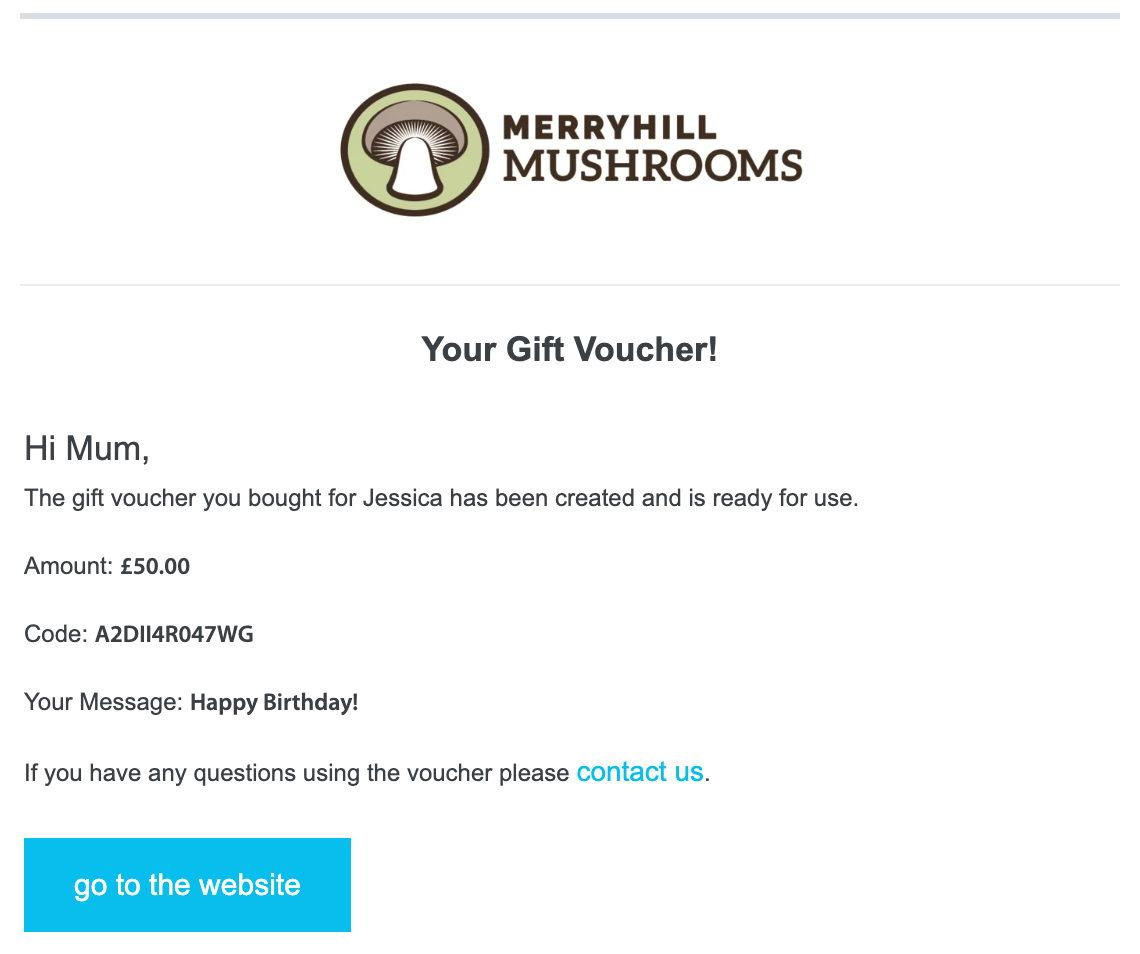
Your gift voucher details page - accessible via the link in your email
How to Redeem Your Gift Card
Select Your Products
Browse our selection and add your chosen mushroom growing kits to your basket. Continue shopping until you're ready to checkout.
Begin Checkout Process
Once you've selected all your products, proceed to the checkout page by clicking the basket icon and then the checkout button.
Enter Your Gift Card Code
Look for the gift voucher / discount code field on the checkout page, located below the payment options.
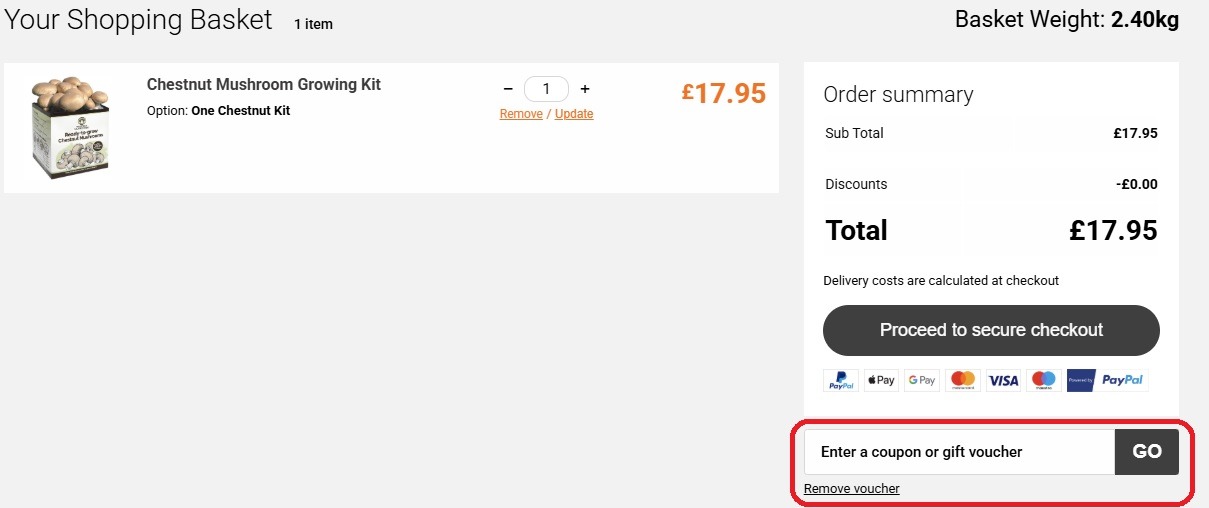
The gift voucher entry field is highlighted in red above
Apply Your Code
Enter your redemption code exactly as it appears in your email, then click 'Apply'. Your gift card balance will be automatically deducted from your order total.
Complete Your Order
If your order total exceeds the gift card balance, you'll be prompted to pay the difference. If not, proceed to complete your order with no additional payment needed.
Need Help?
Important: Gift card codes are single-use but maintain their balance across multiple purchases
Keep your code safe - treat it like cash!